
Run create-next-app today and you'll notice something new. It doesn't just scaffold your project anymore. It creates a CLAUDE.md file for you automatically, with an import pointing at AGENTS.md.
That wasn't there before. And it's not a coincidence. It means the tooling now expects you to think about AI context the same way you think about .gitignore or tsconfig.json: something you set up before you write a single line of code, not something you patch in later when things are already messy.
Most developers still skip this step, and honestly it's not hard to understand why. It looks like extra setup before you've even written a line of code. And if you've never seen the difference it makes, it's hard to know whether it's actually worth it or just one more config file to maintain.
So instead of just explaining it, let's see what actually happens.
Why Claude Keeps "Forgetting" Your Rules
Every Claude Code session starts completely fresh. No memory of last week. No recall of the architecture decision from three months ago. No awareness that your team agreed to never use default exports.
What Claude has is a context window: everything it can see at once, which includes your files, your prompt, and the conversation so far. It holds a lot, but not forever.
The annoying part is that long sessions drift. As a conversation gets long, Claude starts compressing earlier context to make room for new messages, and small details disappear in that process. It gets dumber, to put it simply. The naming rule you mentioned at the start of the session gets fuzzy. The instruction about where server actions should live stops being applied consistently. You end up typing the same correction multiple times without really knowing why.
CLAUDE.md sidesteps this because it's not part of the conversation at all. It's read directly from disk at the start of every session, before anything else happens. Your rules don't go through compaction because they never live in the conversation history in the first place.
Three Layers of Memory
Before getting into what to put in CLAUDE.md, it helps to understand that Claude Code actually has three different ways to carry knowledge across sessions. Each one does something different.
CLAUDE.md files are what you write. Project conventions, build commands, architectural decisions, naming rules. Anything a new developer joining the team would need to know before touching the codebase. These load at the start of every session.
Skills are on-demand files that Claude reads only when relevant. If you have detailed API documentation, component design guidelines, or a complex workflow that only applies to one part of the codebase, it doesn't need to be in CLAUDE.md. You reference it with @path/to/file syntax, and Claude pulls it in when needed. This is the right place for anything too long or too specific to load every session. It keeps your main CLAUDE.md short and your context window from filling up with things Claude doesn't need right now.
Auto memory is what Claude writes for itself. As you work, Claude saves notes: build commands that kept failing, debugging patterns that worked, preferences it noticed you correcting. It stores these in a MEMORY.md file in a project-specific directory on your machine. You don't manage it manually. Claude updates it on its own, and the first 200 lines load automatically with every new session.
The separation is worth understanding. CLAUDE.md is for rules that apply every session without exception. Skills are for knowledge that's only needed sometimes. Auto memory is for things Claude picked up from working with you specifically.
What Actually Belongs in CLAUDE.md
The official guidance from Anthropic is to keep it under 200 lines. That might sound like a lot, but it fills up faster than you'd expect once you start dumping things in. And a bloated CLAUDE.md is almost as bad as no CLAUDE.md at all. When Claude has to scan 500 lines to find what applies, it starts missing things. A short file gets followed more consistently than a thorough one.
A quick way to think about what belongs: would Claude get this wrong without being told? If yes, and it applies to the whole project, it belongs here. Things like exact build and test commands, file naming conventions, structural rules about where things live, non-default choices like "use named exports only" or "all server actions go in app/actions/."
What doesn't belong: vague guidance like "write clean code" (Claude already tries to do this), long documentation (that's what Skills are for), and anything that only applies to one corner of the codebase. For those, use path-scoped rules in .claude/rules/ so the instructions only load when Claude is actually working on matching files.
If you're not sure where to start, just run /init inside Claude Code. It'll analyze your project and generate a starting file based on what it finds. Not perfect, but a much better baseline than a blank file.
AGENTS.md and CLAUDE.md Together
If your repo already has an AGENTS.md for other tools like Cursor or Copilot, you don't need to duplicate everything. Claude Code reads CLAUDE.md, not AGENTS.md directly. But you can import one into the other:
@AGENTS.md

## Claude-Specific Instructions
Use plan mode for changes under `src/billing/`.
This way both tools read the same base conventions, and you add Claude-specific notes below the import. What create-next-app generates is already structured this way. The CLAUDE.md it creates imports AGENTS.md out of the box.
What This Actually Changes: A Comparison

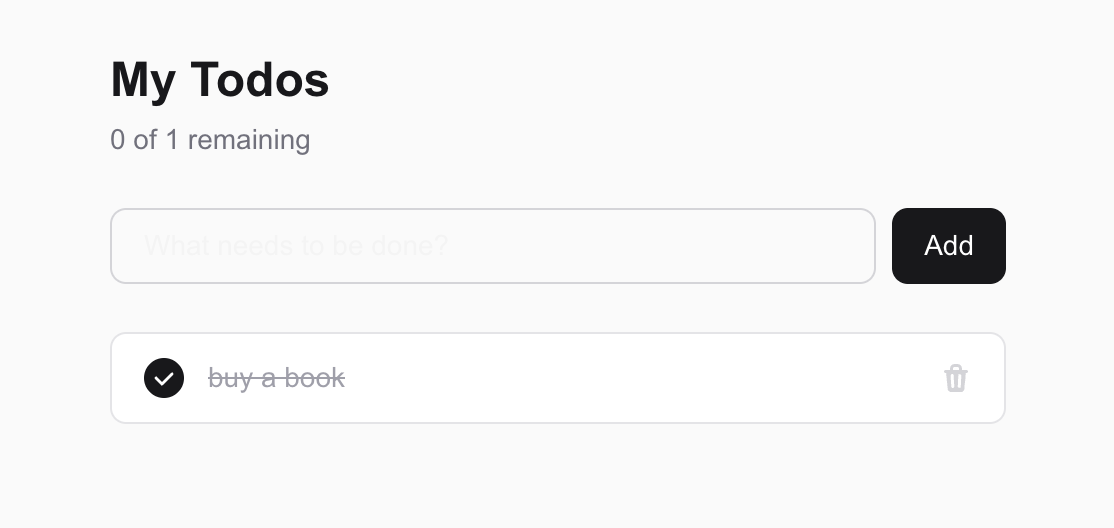
I ran a small experiment to see how much difference this actually makes in practice. Two fresh Next.js projects, same prompt, same version of Claude Code. The only difference: one had an AGENTS.md with explicit project conventions, the other had only the default warning about Next.js breaking changes that create-next-app puts there.
Here's the AGENTS.md I used for the second project:
# Project Conventions

## Package Manager
- Use `npm` for all package operations

## Router
- Use Next.js App Router only
- No Pages Router patterns

## Exports
- Always use named exports
- Never use default exports

## File Naming
- Component files must use kebab-case (e.g. `todo-item.tsx`, `add-todo-form.tsx`)
- Component names inside files remain PascalCase

## Styling
- Tailwind only
- No inline styles
- Use `clsx` for conditional class names, never template literals

## Project Structure
- All server actions must live in `app/actions/` directory
- Components go in `components/` directory at the project root

## Testing
- Use Playwright for end-to-end tests
- Test files go in `e2e/` directory
- Run tests with `npx playwright test`
The prompt I gave both was intentionally vague:
Build a simple Todo app with the following features: add a new todo, mark a todo as complete, delete a todo. Use Next.js with Tailwind CSS.
Without conventions, the first thing I noticed was the file structure. Claude put everything into a single TodoApp.tsx inside app/components/: state, handlers, UI, all of it in one place. Which, when you let it assume everything, is kind of the expected result. There's no reason for it to split things up if nobody told it to. The architecture was pure client-side too, useState for everything, which works fine but doesn't use any of what App Router is actually designed for.
With AGENTS.md in place, the output was structurally different from the first prompt. Components landed in components/ at the project root, named in kebab-case. Server actions went into app/actions/. The page itself became a Server Component with client components underneath. clsx for conditional classes. crypto.randomUUID() instead of Date.now() for IDs. Named exports throughout.
Both apps looked nearly identical in the browser. That's what makes this easy to dismiss. But the code underneath was built completely differently. The difference wasn't just naming conventions. The architecture changed too.
In case the description isn't clear enough, here's the diff side by side:
todo (no conventions) |
todo-agent (with AGENTS.md) |
|
|---|---|---|
| File structure | app/components/TodoApp.tsx (single file) |
app/actions/todos.ts, components/add-todo-form.tsx, components/todo-item.tsx, lib/store.ts |
| State | useState (client-side only) |
In-memory store + Server Actions |
| Rendering | Pure Client Component | Server Component (page) + Client Components |
| Server Actions | None | "use server" + revalidatePath |
| Export style | default export |
named export |
| ID type | number (Date.now()) |
string (crypto.randomUUID()) |
| Conditional CSS | Template literals | clsx |
And maybe the more practical payoff: I stopped having to say the same things twice. Once the conventions are in the file, they're just there. Every session, every feature, every time. That alone saves more time than it sounds like it would.
Worth noting: this experiment only tested architecture and structure. Add a Skill on top of it and the gap widens further. If your AGENTS.md imports something like @.claude/skills/component-design.md with your color tokens, spacing scale, and component patterns, Claude starts producing UI that actually looks like it belongs in your codebase. The more context you give it, the more the output feels like yours.
The File That Outlasts the Developer
There's a pattern that shows up in every codebase that's been around long enough. Some decisions are well-documented. Most aren't. The choice of a particular library, the reason a certain folder exists, the rule about never doing X in module Y: these things live in whoever made the decision, not in any file.
When that person leaves, the knowledge leaves with them.
CLAUDE.md is an opportunity to change that habit. Not because it's the right place to dump all your institutional knowledge, but because it asks a useful question at the start of every project: what does Claude need to know to work the way we work?
Answering that question honestly tends to surface the things that were never written down. The non-obvious choices. The decisions that would confuse a new engineer. The rules that exist because something went wrong once and everyone agreed never to do it again.
When that knowledge lives in a file instead of in someone's head, it doesn't just help Claude. It helps the next developer who joins the project. It helps you six months from now when you've forgotten why you made a choice. It becomes part of how the project explains itself.
AI made that useful in a new way. But the underlying habit, writing down what you know so the work can outlast any single person, was always worth having.
If you want to go deeper on building a real workflow around AI tools, I'm working on a course: The Developer's AI Productivity Blueprint . It covers everything from the basics through multi-agent workflows. Join the waitlist and I'll select a few people to get early access in exchange for feedback.
The Developer's AI Productivity Blueprint
Learn how to build a real AI workflow, from setting up your repo correctly to multi-agent systems. Join the waitlist and get early access for free.