
We are living in the golden age of LLMs. They can write poetry, debug Python, and summarize meetings. But there is one massive wall they keep hitting: Isolation.
Your AI doesn't know about your local database. It doesn't see your Git logs. It can't read your internal docs. We typically use "Context Dumping" by manually copying and pasting lengthy passages of text into the chat to close this gap. It consumes your token limit, is time-consuming, and prone to mistakes.
Enter the Model Context Protocol (MCP).
What is MCP?
Think of MCP as USB-C for AI models.
Before USB, connecting a printer, a mouse, or a camera required different ports and proprietary drivers. It was a mess. MCP does the same for AI connectivity. It is an open standard that lets you build a "connector" (Server) once, and any AI application (Client) can plug into it to access your data.
Instead of building a custom chatbot just to talk to your database, you build a lightweight MCP server, and suddenly your AI has "eyes" to see your data directly.
Why Claude?
While MCP is an open standard, Claude Desktop is currently the easiest and most robust way to experience it.
Building a full AI interface from scratch is hard. You have to handle the UI, the chat history, the streaming responses, and the tool calling. Claude Desktop abstracts all of that away. It acts as a ready-made MCP Client.
As developers, this is perfect. We only need to build the engine, not the whole car. For our local tools, we write a straightforward script to expose our data, point Claude at it, and get a production-grade chat interface right away.
The Mission: A "Safe" Database Connector
Today, we are going to build our first MCP connector. We will give Claude direct access to a local PostgreSQL database containing our book collection.
But we aren't reckless. Giving an AI unrestricted access to your DB is a recipe for disaster (one hallucinated DROP TABLE and it’s game over). So, we will build this the right way: Securely.
We will combine the power of MCP with the safety of Postgres permissions to create a strictly Read-Only SQL Assistant.
1. The Safety Net: Creating a Read-Only User
Security should be the must. Before we write a single line of JavaScript, we need to ensure that our MCP server literally cannot destroy data.
Run these commands with your preferred SQL tool (or psql). We are going to create a user called claude_reader who is limited to looking, not touching.
-- 1. Create the user
CREATE USER claude_reader WITH PASSWORD 'safe_password_123';

-- 2. Grant connection rights (Assuming your DB is named 'library_development')
GRANT CONNECT ON DATABASE library_development TO claude_reader;

-- 3. Grant schema usage (usually 'public')
GRANT USAGE ON SCHEMA public TO claude_reader;

-- 4. The Magic Line: Allow SELECT only
GRANT SELECT ON ALL TABLES IN SCHEMA public TO claude_reader;

-- 5. Future-proof it (optional, but good practice)
ALTER DEFAULT PRIVILEGES IN SCHEMA public GRANT SELECT ON TABLES TO claude_reader;
Boom. Now, even if the AI tries to run DELETE FROM books, Postgres will simply say: "Permission denied."
2. The Engine: Building the MCP Server
Now that we're safe, let's write the bridge. We'll use the official @modelcontextprotocol/sdk and the native pg client.
Create a new folder, npm init -y, and install the dependencies:
npm install @modelcontextprotocol/sdk pg
Now, create index.mjs. We are going to define two tools:
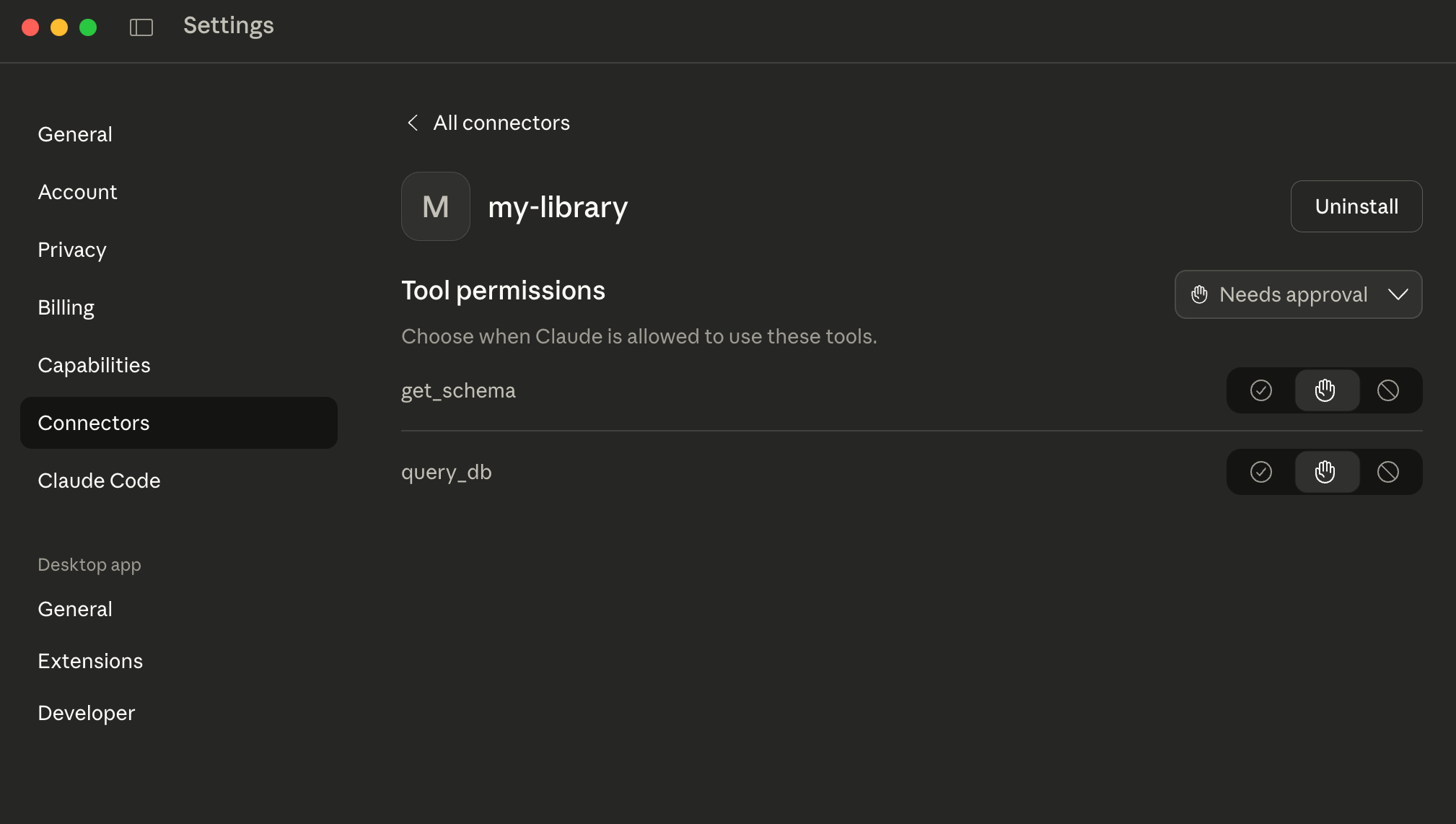
get_schema: Allows Claude to see how our tables are structured.query_db: Allows Claude to run actual SQL.
Here is the full implementation for our library MCP server:
// index.mjs
import { Server } from "@modelcontextprotocol/sdk/server/index.js";
import { StdioServerTransport } from "@modelcontextprotocol/sdk/server/stdio.js";
import { CallToolRequestSchema, ListToolsRequestSchema } from "@modelcontextprotocol/sdk/types.js";
import pg from "pg";

// 1. Setup the Safe Connection
const pool = new pg.Pool({
  user: "claude_reader",        // Our read-only user
  host: "localhost",
  database: "library_development", // Connecting to our books DB
  password: "safe_password_123",
  port: 5432,
});

// 2. Initialize the MCP Server
const server = new Server(
  { name: "secure-postgres-mcp", version: "1.0.0" },
  { capabilities: { tools: {} } }
);

// 3. Define the Tools
server.setRequestHandler(ListToolsRequestSchema, async () => {
  return {
    tools: [
      {
        name: "get_schema",
        description: "Get the schema (columns/types) for a specific table. Always run this before querying.",
        inputSchema: {
          type: "object",
          properties: { tableName: { type: "string" } },
          required: ["tableName"],
        },
      },
      {
        name: "query_db",
        description: "Execute a READ-ONLY SQL query. Ensure the SQL is valid Postgres syntax.",
        inputSchema: {
          type: "object",
          properties: { sql: { type: "string" } },
          required: ["sql"],
        },
      },
    ],
  };
});

// 4. Handle Tool Execution
server.setRequestHandler(CallToolRequestSchema, async (request) => {
  const { name, arguments: args } = request.params;

  try {
    if (name === "get_schema") {
      const text = `
        SELECT column_name, data_type
        FROM information_schema.columns
        WHERE table_name = $1;
      `;
      const result = await pool.query(text, [args.tableName]);
      return { content: [{ type: "text", text: JSON.stringify(result.rows, null, 2) }] };
    }

    if (name === "query_db") {
      // The Postgres user permissions handle the safety, but let's be explicit
      console.error(`Executing SQL: ${args.sql}`);
      const result = await pool.query(args.sql);
      return { content: [{ type: "text", text: JSON.stringify(result.rows, null, 2) }] };
    }

    throw new Error(`Unknown tool: ${name}`);
  } catch (error) {
    return { content: [{ type: "text", text: `Error: ${error.message}` }], isError: true };
  }
});

// 5. Start the Transport
const transport = new StdioServerTransport();
await server.connect(transport);
This code is lean. It doesn't use heavy ORMs. It just passes the strict SQL through our safe connection.
3. The Wiring: Connecting to Claude Desktop
We need to tell the Claude Desktop app where to find our new server. Open your config file:
- Mac:
~/Library/Application Support/Claude/claude_desktop_config.json - Windows:
%APPDATA%\\Claude\\claude_desktop_config.json
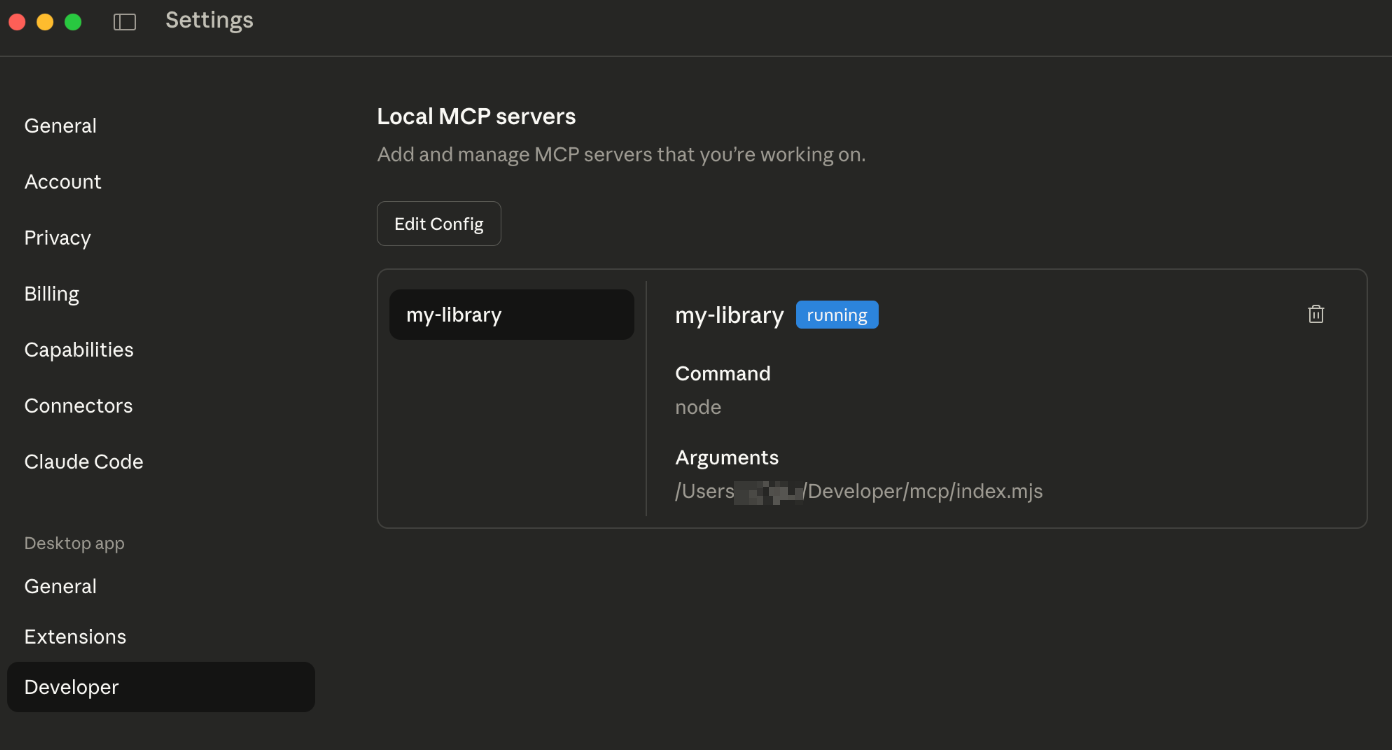
(Pro Tip: You can often find this quickly via the Edit Config button in the Claude Settings)
Add your server to the mcpServers block:
{
  "mcpServers": {
    "my-library": {
      "command": "node",
      "args": [
        "/ABSOLUTE/PATH/TO/YOUR/PROJECT/index.mjs"
      ]
    }
  }
}
Troubleshooting Tip: If the server doesn't show up, try using the absolute path to your node executable (e.g., /usr/local/bin/node) instead of just "node". Claude sometimes doesn't know where to look for Node in your system path.
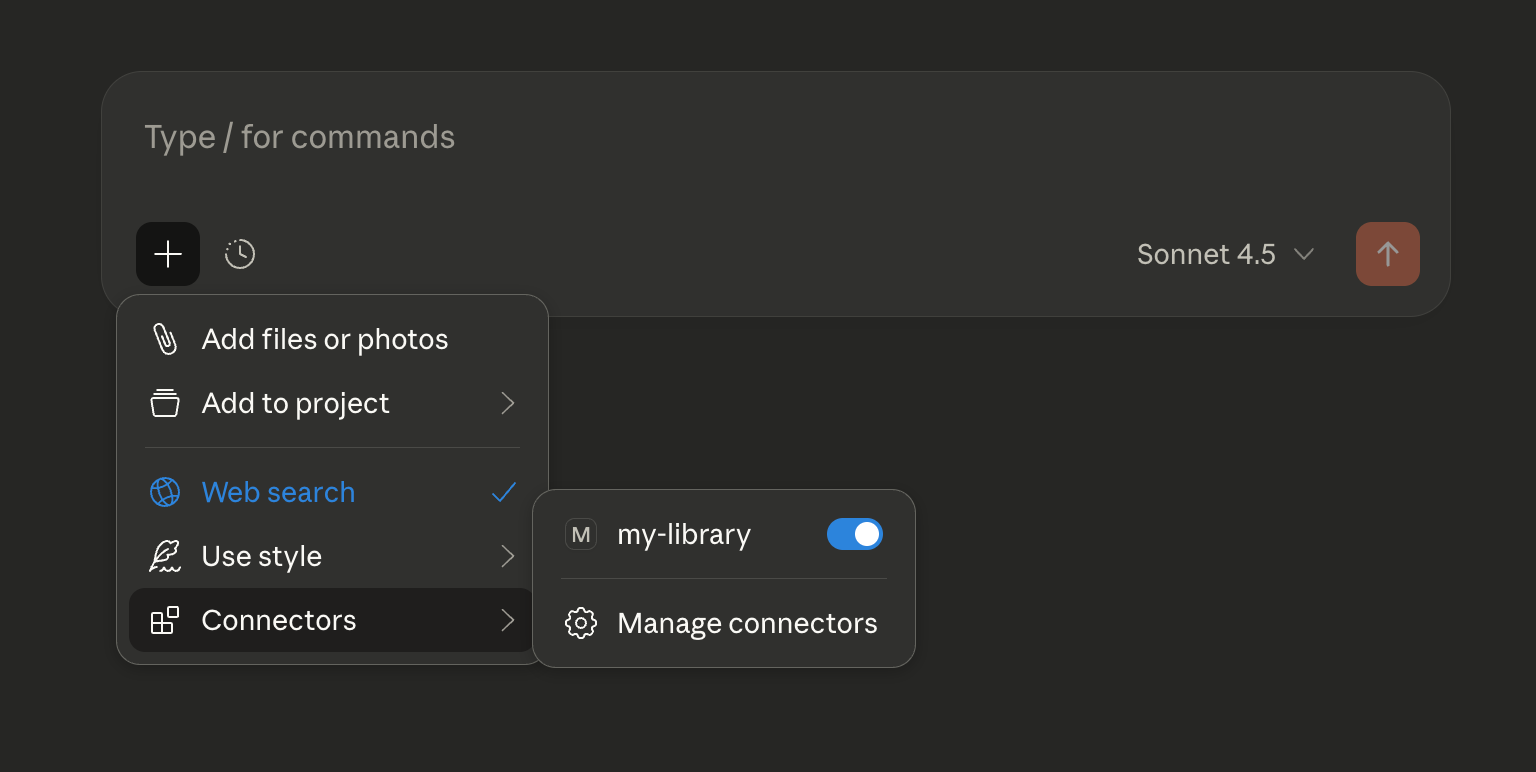
Restart Claude Desktop. You should see a little plug icon indicating the tool is connected.
4. The "Magic Moment"
Now for the payoff. Open a chat with Claude and simply ask:
"I'm looking for some reading material. Find me all books with 'Rails' in the title."
Here is what happens in the background:
Claude sees it has a
get_schematool. It calls it on thebookstable to understand the structure.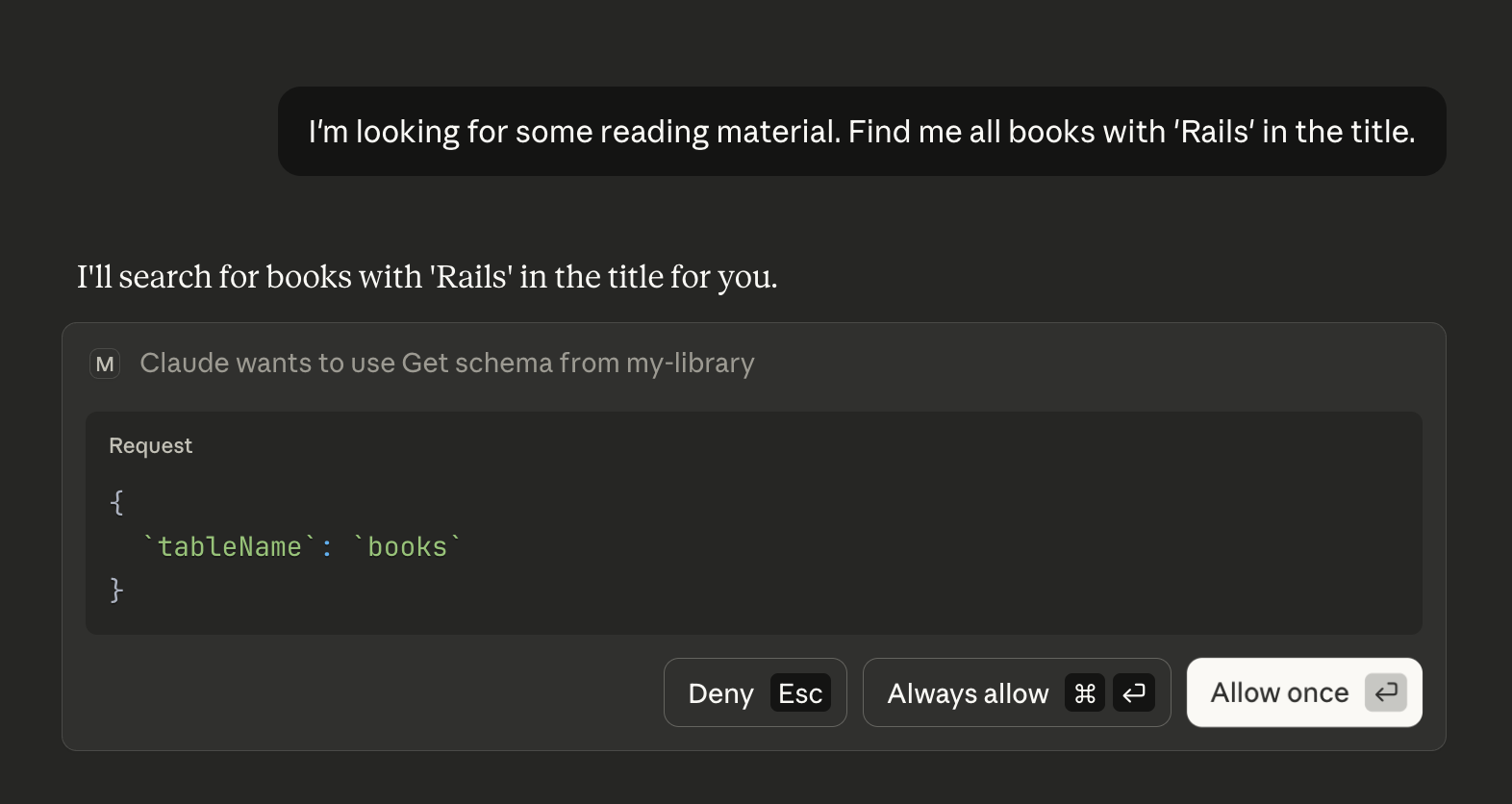
Claude identifies the
titleandauthorcolumns.Claude create a valid SQL query:
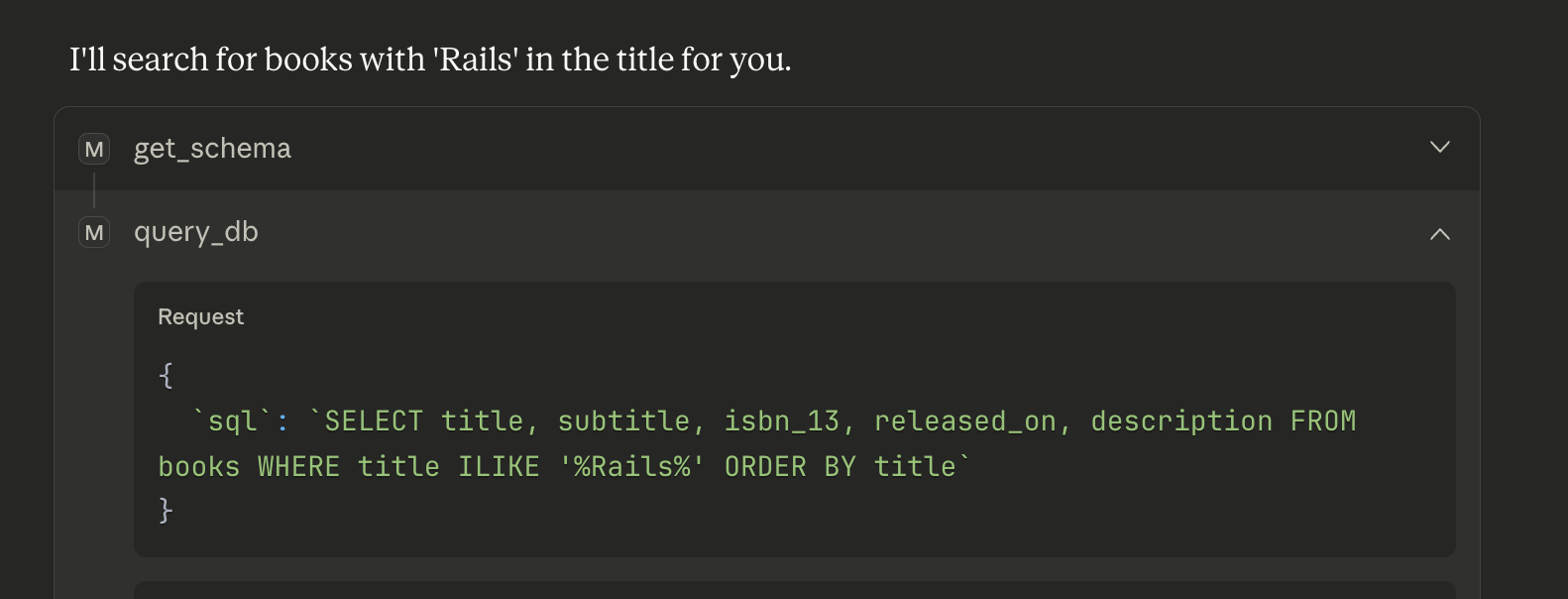
It calls
query_db.Our
claude_readeruser executes it safely.Claude replies:
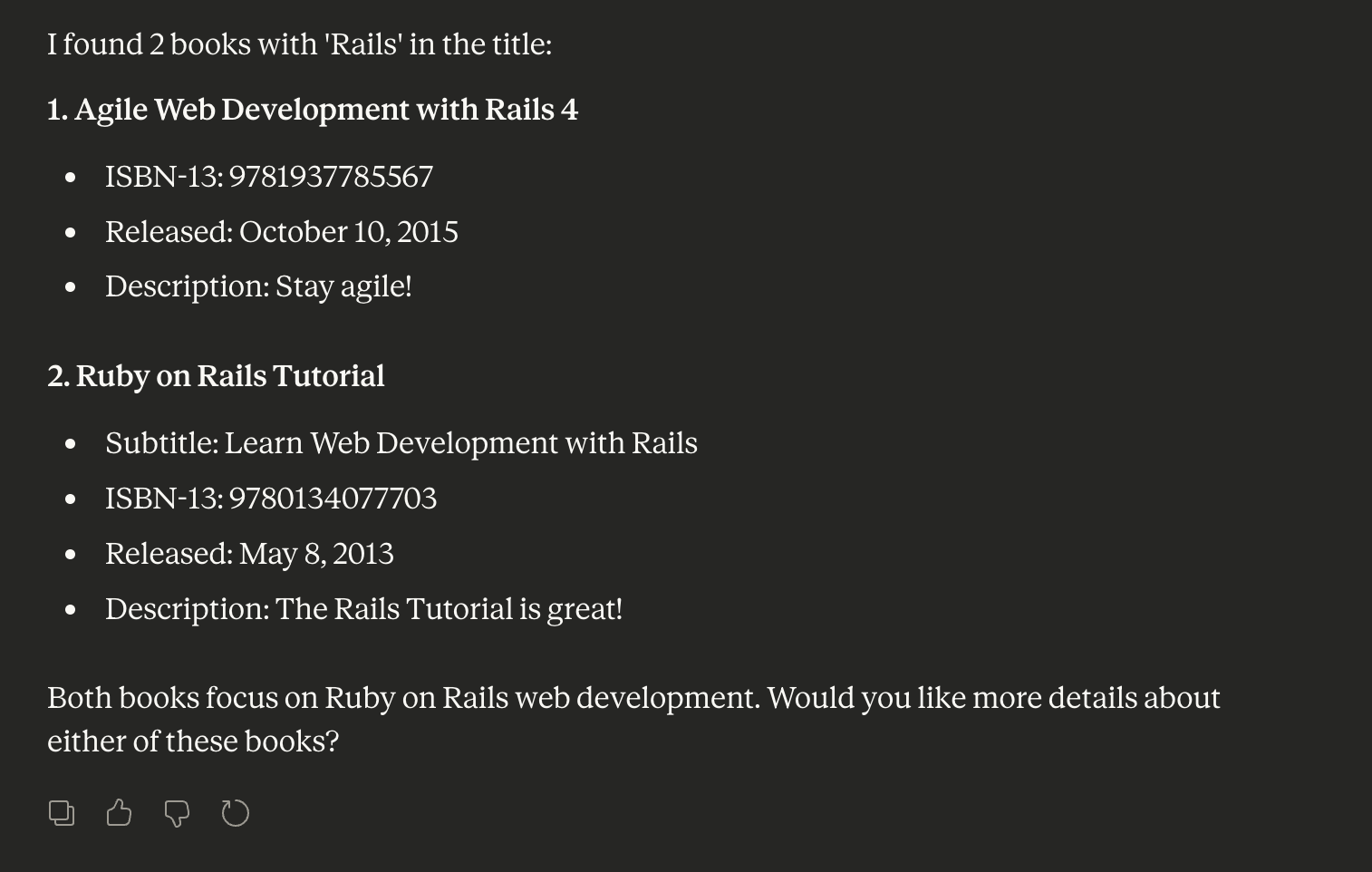
No copy-pasting schema. No fear of data loss. Just a powerful, context-aware SQL assistant living right inside your chat window.
Conclusion
MCP is a game-changer. It turns your AI from a passive chatbot into an active participant in your development workflow.
The possibilities are endless. I once saw a developer use a Rust SDK to build an MCP server to change memory values in games like Persona. Whether it's production data or in-game money, if you can code it, Claude can connect to it.
What will you build with MCP?